¶ Delete User
¶ Overview
Remove a user from your company account.
¶ Steps
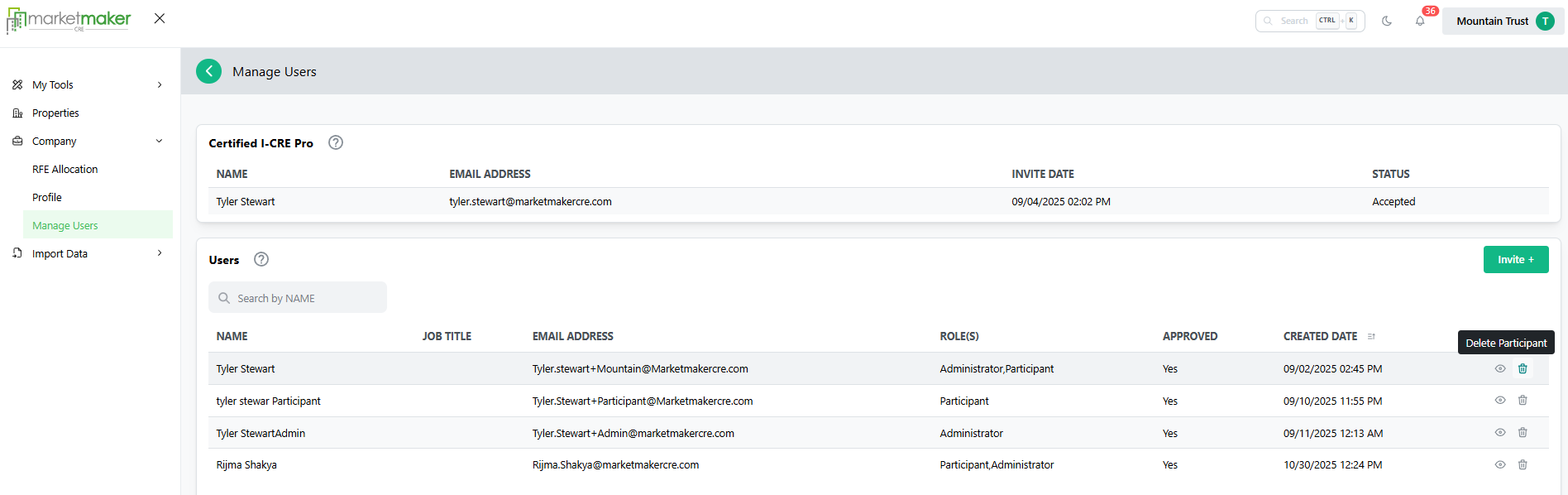
- Go to Company.
- Select Manage Users.
- Locate the user you want to remove.
- Click the Delete Participant icon.
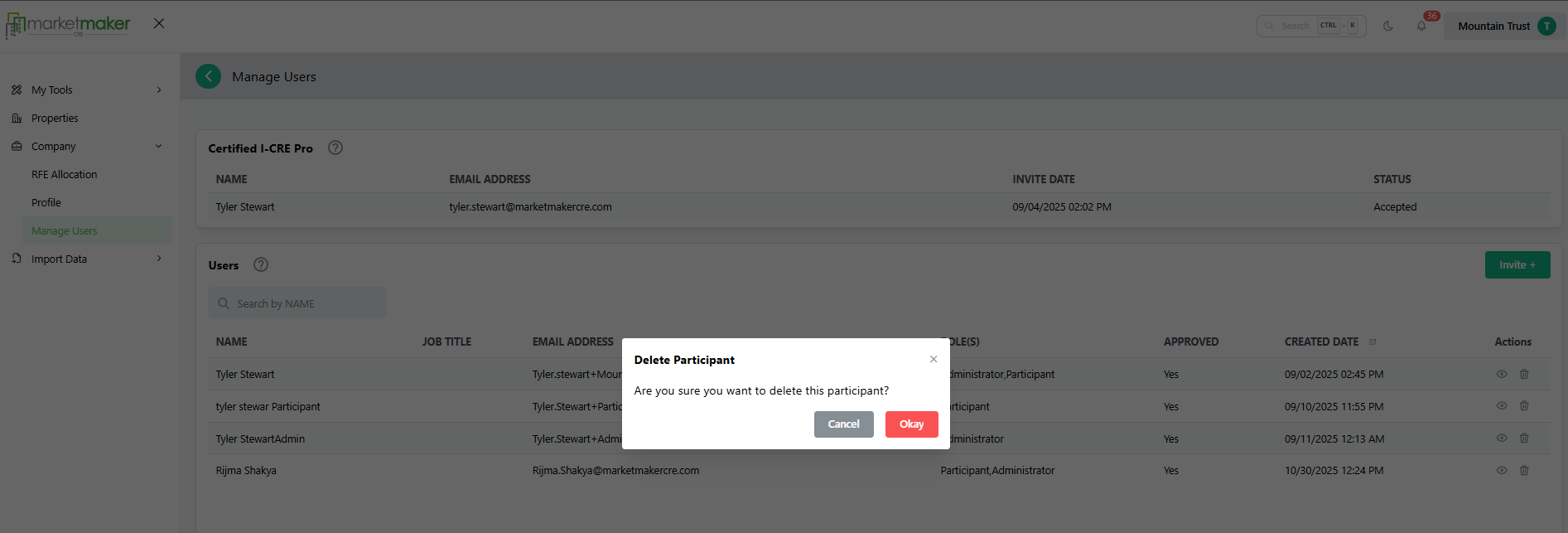
- Confirm by clicking OK.
¶ Result
The user is removed and can no longer access the platform.